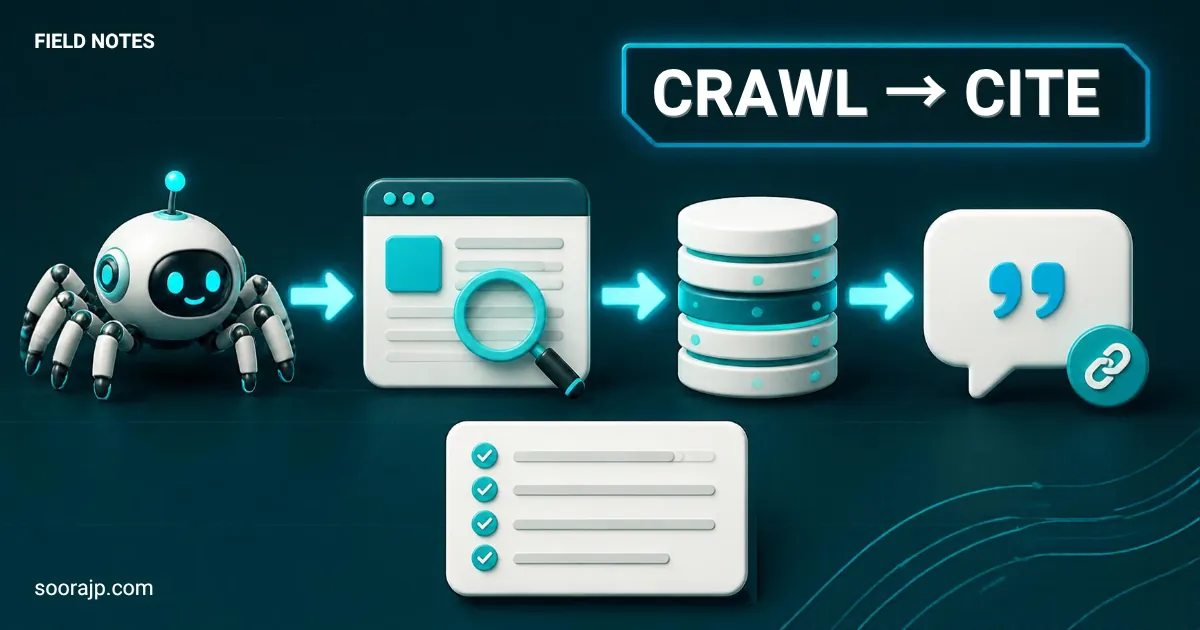
A page can only be cited if it was first crawled, indexed and understood. Skip one layer and the layers above it do not matter. This is the checklist I run before anything goes live. It has 25 checks in five layers, each backed by Google’s documentation or real web data.
Why the order matters
Think of the web as a pipeline. A bot must reach your page. Then Google must choose to index it. Then the page must render. Then it must load fast enough to be usable. Only then can a search or AI feature quote it.
Google confirms the last step is not special. To appear in AI Overviews or AI Mode, a page must simply be indexed and eligible to show a snippet. There are no extra technical requirements.1
That means technical SEO is the base of AI visibility too. Fix the lower layers first.
Layer 1: Can bots reach it?
The 2025 Web Almanac found that 13.3% of sites return a 404 for robots.txt, and 1.8% serve an empty file.2 Start with the basics.
- 1
robots.txt returns 200
Open /robots.txt. It should load with a 200 status and list the paths you want bots to avoid, and nothing more.
- 2
No accidental site-wide block
Search the file for “Disallow: /” under a broad user-agent. A staging rule left in place is a classic launch failure.
- 3
A clean XML sitemap exists
List only canonical, indexable URLs. A sitemap holds up to 50,000 URLs or 50 MB. Split larger ones.3
- 4
Sitemap is declared and submitted
Add a Sitemap line to robots.txt and submit the file in Search Console. Then check the Sitemaps report for errors.
- 5
Status codes tell the truth
Live pages return 200, moved pages 301 and missing pages 404. A “not found” page that returns 200 is a soft 404.
Layer 2: Will Google index the right URL?
Indexing is a choice Google makes. Your job is to remove doubt. Duplicate URLs and mixed signals cost you control over which version appears.
- 1
One canonical per page
Add a self-referencing rel=”canonical” with an absolute URL. Use the same URL in links, sitemap and redirects.4
- 2
No stray noindex
Check meta robots and X-Robots-Tag headers. About 3.5% of desktop pages carry a noindex rule, so confirm yours is deliberate.2
- 3
Redirects are permanent and short
Use 301 redirects, one hop at a time. Avoid chains and HTTPS-to-HTTP redirects.4
- 4
URL variants resolve to one
Pick one of www or non-www, one trailing-slash style and HTTPS only. Redirect all others to it.
- 5
URL Inspection says indexable
Run the live test on key pages. It shows what Googlebot fetched, which canonical it chose and whether the page can be indexed.
Layer 3: Can it be read?
Googlebot must see your main content and your links. If they appear only after heavy scripts, discovery slows down.
- 1
Main content is in the HTML
View source. Your headings, body text and key facts should be present before JavaScript runs, where possible.
- 2
Links are real anchors
Use a elements with href attributes. Buttons and click handlers are not reliable links for crawlers.
- 3
CSS and JavaScript are not blocked
Never disallow the files a page needs to render. Check the rendered HTML in URL Inspection.
- 4
Mobile and desktop match
Google indexes the mobile version. Hidden or shortened mobile content may be what gets indexed.
- 5
Images have size and alt text
Set width and height to avoid layout shift. Write alt text that describes the image for people who cannot see it.
Layer 4: Is it fast for real users?
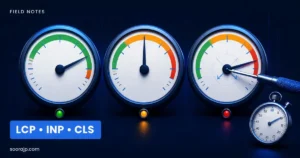
Google rates Core Web Vitals at the 75th percentile of real visits. The 2025 Web Almanac found 48% of mobile sites pass all three.5
| Metric | Good | Poor |
|---|---|---|
| LCP | 2.5 s or less | Over 4 s |
| INP | 200 ms or less | Over 500 ms |
| CLS | 0.1 or less | Over 0.25 |
- 1
LCP is 2.5 s or less
Find the largest element on your key templates and fix it first. It is an image on 76% of mobile pages.5
- 2
INP is 200 ms or less
Cut long JavaScript tasks. Remove scripts and plugins that do nothing on the page.
- 3
CLS is 0.1 or less
Reserve space for images, embeds, banners and fonts so nothing jumps.
- 4
The hero is not lazy-loaded
Lazy loading the LCP image delays the one thing the metric waits for. Add fetchpriority=”high” instead.
- 5
Server response is quick
Use page caching and a CDN. Time to first byte should take about 40% of your LCP budget at most.6
Layer 5: Is it ready to be quoted?
This layer is about clarity and trust. It makes your page easy to understand and safe to cite.
- 1
Unique title and description
Each page needs its own title and a meta description that matches the content. Only about 67% of pages have a description.2
- 2
One H1 and question-style H2s
Use headings that mirror real questions. Put a direct answer in the first two sentences under each one.
- 3
Structured data matches the page
Mark up only what readers can see. Validate it with the Rich Results Test. Put it in the initial HTML when you can.
- 4
Author, date and sources are visible
Show who wrote the page, when it was updated and where claims come from. This supports trust.
- 5
Snippet and bot rules are deliberate
Check that you have not set nosnippet by mistake. Decide on AI crawler access on purpose.1
How I run this list
I run the checks in order and stop at the first failure. It saves time, because later results are unreliable until the earlier layer is fixed.
I also keep a short log for each launch: what failed, what I changed and the date. When a ranking dip happens six months later, the log often explains it.
Common mistakes
Launching with the staging robots.txt still in place.
Listing redirected or noindex URLs in the sitemap.
Fixing speed before fixing indexing.
Adding schema that describes content the page does not show.
Treating the checklist as a one-off instead of a launch habit.
Quick questions
How long does the full checklist take?
About 30 minutes for a single page, plus a crawl for the site-wide checks. It gets faster each time you run it.
Which tools do I need?
Search Console, a site crawler, PageSpeed Insights and your browser’s developer tools. All have free options.
Do I need to repeat it after launch?
Yes. Run a short version after every redesign, migration or plugin change. Most technical problems start with a change.
Does this guarantee I get cited by AI?
No. It removes technical blockers. Citation still depends on quality, clarity and trust.
Key takeaways
Work bottom-up: crawl, index, render, speed, then citation.
AI features need no special markup. They need an indexed, snippet-eligible page.
Use one clean canonical, one redirect hop and a truthful sitemap.
Judge speed on real-user data at the 75th percentile.
Make claims, authors and sources visible so the page is safe to quote.