Every release is a small risk. A deploy that takes the site down for five minutes costs trust, sales and sleep. Big teams solve this with platform engineers. Small teams can solve it with one simple idea: run two copies and switch between them. This guide shows how to do that on AWS, step by step, with the exact limits from AWS documentation. It also covers the part most guides skip: the database.
What zero downtime really means
Zero downtime means users never see an error or a blank page during a release. They keep using the old version until the new one is ready.
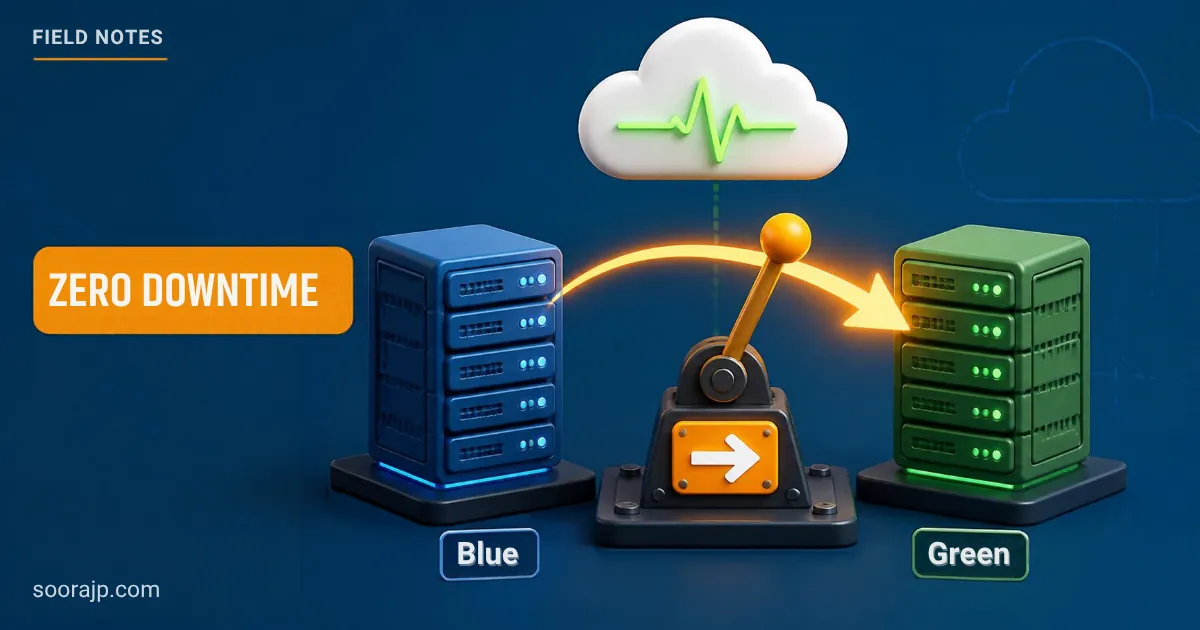
AWS describes blue/green deployment as a technique that releases applications “by shifting traffic between two identical environments that are running different versions of the application.”1 The old version is blue. The new one is green.
The big benefit is rollback. AWS says the technique can reduce common deployment risks such as downtime and rollback difficulty.1 If green misbehaves, you send traffic back to blue.
In-place or blue/green?
AWS CodeDeploy supports both styles.2 The difference is simple.
| Style | What happens | Trade-off |
|---|---|---|
| In-place | The app on each instance is stopped, updated and started again | Cheap, but capacity drops during the update |
| Blue/green | The new version is built beside the old one, then traffic is rerouted | Needs spare capacity, but rollback is fast |
For blue/green on EC2, CodeDeploy provisions replacement instances and registers them with a load balancer. Then it deregisters the originals. AWS notes that traffic can go back to the original instances as long as you have not terminated them.2
On Amazon ECS and AWS Lambda, traffic can shift in three ways: canary, linear or all at once.2
The pipeline in five stages
Keep the pipeline short. Each stage has one job.
- 1
Build
Create one artifact, such as a container image or a zip, from a tagged commit. Never rebuild for production.
- 2
Test
Run unit tests and a small set of smoke tests. Fail fast and stop the pipeline.
- 3
Deploy green
Launch the new version beside the old one. It receives no real traffic yet.
- 4
Verify
Run a health check and a few real requests against green. Check logs and error rates.
- 5
Shift traffic
Move users to green in steps, then watch the numbers before you finish.
Shifting traffic with ALB weights
An Application Load Balancer can split traffic between target groups by weight. Each weight is a value from 0 to 999, and requests are shared in proportion to the weights.3
AWS gives a clear example. Two groups with weights of 10 and 20 give the second group twice as many requests as the first.3
| Step | Blue weight | Green weight | What you watch |
|---|---|---|---|
| Start | 100 | 0 | Green passes health checks |
| Canary | 90 | 10 | Error rate and latency |
| Half | 50 | 50 | Error rate, latency and business events |
| Finish | 0 | 100 | Keep blue ready for a rollback window |
1{2 "Type": "forward",3 "ForwardConfig": {4 "TargetGroups": [5 { "TargetGroupArn": "<blue-arn>", "Weight": 90 },6 { "TargetGroupArn": "<green-arn>", "Weight": 10 }7 ]8 }9}Health checks and draining
Two settings protect your users during the switch.
- 1
Health checks
A new target receives traffic once it is registered and passes its first health check.4 Make the check test something real, such as a database query, not just a static page.
- 2
Deregistration delay
This sets how long the load balancer waits before it removes a target. The default is 300 seconds and the range is 0 to 3,600.4 Set it a little above your longest normal request.
Rollback in one step
A rollback should be boring. If green fails, set its weight to 0 and blue back to 100. Users return to the old version in seconds.
CodeDeploy can also stop and roll back a deployment when it hits errors.2 Use it if you want the tool to decide, and use the manual weight switch if you want a human to decide.
- 1
Write the rollback rule
Decide in advance which numbers trigger a rollback, such as a 5xx rate above a set limit.
- 2
Keep blue alive
Do not terminate the old version until the new one has run cleanly for a set time.
- 3
Practise it
Run a rollback in a quiet hour once. An untested rollback is only a hope.
The database is the hard part
Two versions of your app will share one database for a short time. The AWS paper itself flags the data tier as an important consideration.1
So every schema change must work with both the old and the new code. A safe habit is to change the database in two steps.
- 1
Expand
Add the new column or table. Keep the old ones. Old and new code both work.
- 2
Deploy
Release the new code. It uses the new structure.
- 3
Contract
Remove the old column in a later release, after you no longer need to roll back.
A weekend plan
This is the order I would build it in. Treat the time as a guide, not a promise.
| When | Task | Done when |
|---|---|---|
| Saturday morning | Containerise or package the app and script the build | One command makes one artifact |
| Saturday afternoon | Create the blue and green target groups behind one ALB | Both pass health checks |
| Sunday morning | Add the pipeline stages and the smoke tests | A push to main deploys green |
| Sunday afternoon | Add the weight shift and practise a rollback | You return to blue in under a minute |
How I would run it
I would keep the first version plain. No service mesh, no custom controller. One load balancer, two target groups and a script.
I also prefer small releases. Ten small deploys are safer than one big one, because each change is easy to understand and easy to undo.
Cost matters too. Running two copies doubles capacity for a short time. For a small team, that is often cheaper than one hour of downtime.
Common mistakes
Rebuilding the artifact for production instead of promoting the tested one.
Terminating blue before green has run cleanly.
Shipping a database change that breaks the old version.
Using a health check that only loads a static page.
Never practising the rollback.
Quick questions
Do I need containers?
No. Blue/green also works with EC2 instances. Containers make builds more repeatable, but they are not required.
Is blue/green expensive?
You pay for two copies during the release. Keep the window short and scale blue down once the release is safe.
What if my app keeps sessions in memory?
Store sessions in a shared store, or enable stickiness on the rule. Test the behaviour before you shift real traffic.
Can I do this without CodeDeploy?
Yes. ALB weights and a short script are enough. CodeDeploy adds automation and rollback options.
Key takeaways
Run two copies and move traffic between them, so users never see the switch.
ALB weights run from 0 to 999 and share requests in proportion.
Rollback is a weight change. Keep blue alive until green is proven.
Make database changes work with old and new code at the same time.
Practise the rollback before you need it.